Create AWS Credentials
You can monitor workloads across multiple AWS accounts within one Monitoring Domain.
- After launching GigaVUE‑FM in AWS, if the IAM is attached to the running instance of FM, then the EC2 Instance Role authentication credential is automatically added to the Credential page as the default credential. You must attach the IAM prior to creating a Monitoring Domain.
- If you use the Basic Credentials authentication credentials, you must add these to the GigaVUE‑FM on the AWS Settings page, or on the Monitoring Domain creation page.
For details, refer to Create a Monitoring Domain.
Prerequisites:
Configure the required permission and privileges in AWS. Refer to the following topics for more detailed information on how to configure the required permission and privileges in AWS based on your deployment option:
|
Deployment Option |
Reference Topics |
|
Acquire Traffic using Traffic Mirroring |
|
|
Acquire Traffic using Traffic Mirroring when configuring Gateway Load Balancer in AWS |
Example: Traffic Acquisition using Traffic Mirroring and GwLB |
|
Acquire Traffic using Traffic Mirroring when configuring Network Load Balancer in AWS |
|
|
Acquire Traffic using Inline V Series in AWS |
Minimum Permissions Required for Acquiring Traffic using Inline V Series |
To create AWS credentials:
- Go to Inventory > VIRTUAL > AWS, and select Settings > Credentials
- On the Credential page, select Add. The Credential Configure page appears.
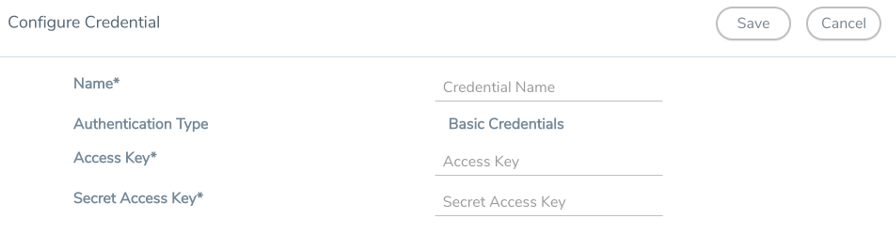
- Enter a name to identify the AWS Credential in the Name Field.
- Basic Credentials is selected as the default Authentication Type. For more information, refer to AWS Security Credentials.
- Enter the credential of an IAM user or the AWS account root user in the Access Key field.
- Enter the security password or key in the Secret Access Key field.
- Select Save. You can view the list of available credentials on the AWS Credential page.


