Introducing the GigaVUE-TA400E Chassis
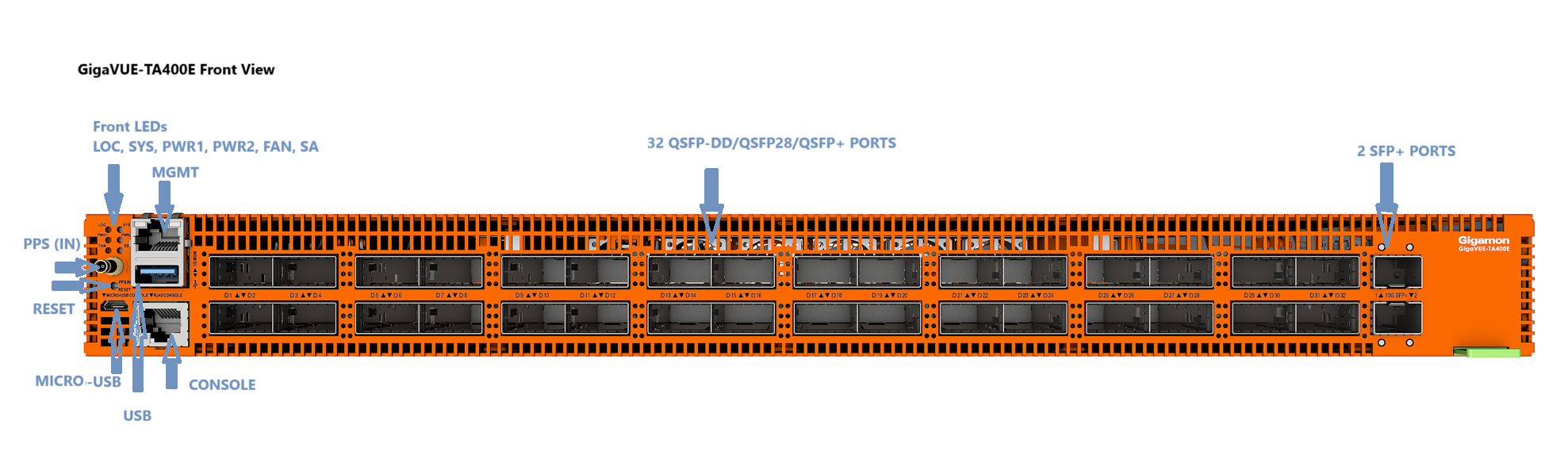
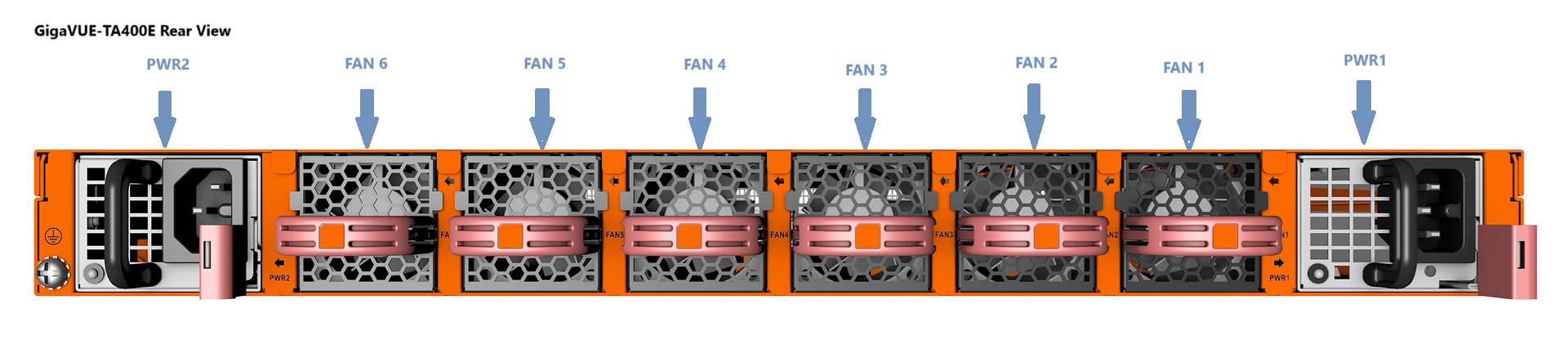
The GigaVUE-TA400E chassis consists of a 1RU form factor, rack-mountable, 32 x 400G QSFP-DD ports, in addition provides 2 x 10Gb SFP+ ports, dual hot-pluggable power supplies (AC/DC), and 6 x fan trays. The below figure shows the ports at the front of the GigaVUE-TA400E chassis. Refer to GigaVUE-TA400E Ports for a description of each of the ports.
|
Port |
Description |
|||||||||
|---|---|---|---|---|---|---|---|---|---|---|
|
Management |
Use the Mgmt port for remote configuration of GigaVUE-TA400E Traffic Aggregator over a 10M/100M/1000M Ethernet network. Refer to installation guide for information on establishing an SSH configuration session with the GigaVUE-TA400E Traffic Aggregator.
|
|||||||||
|
Console |
Use the Console port for local configuration of the GigaVUE-TA400E Traffic Aggregator over a serial connection. Refer to installation guide for information on establishing a serial configuration session with the GigaVUE-TA400E Traffic Aggregator in a terminal window.
The Micro USB port has a higher priority. Note: When both console ports are connected, only one is active. |
|||||||||
|
Ports D1..D32 SFP+ Ports X1...X2 |
TheGigaVUE-TA400E provides 32 x 400Gb/100Gb/ 40Gb QSFP-DD/ QSFP28/QSFP+ ports, and in addition provides 2 x 10Gb SFP+ ports. All ports support:
Power Budget: 24 W on each 32 ports |
|||||||||
|
Transceivers |
Below listed breakout connections are supported and validated.
For details about the supported transceivers and cable type, refer to the GigaVUE-OS Compatibility and Interoperability Matrix. |
|||||||||
| PPS (IN) | Reserved for future use. | |||||||||
| Reset/Push Button | Use the reset/push button to reset the device. It must be pressed continuously for ten seconds. |


