Configure a Traffic Pre-filter
When you create a Monitoring Session, GigaVUE‑FM creates a traffic mirror filter with a Pass All rule and associates it with the traffic mirroring session. The Pass All filter forwards all the traffic without filtering.
If you want to filter the traffic, then you can create a traffic mirror filter on AWS and add rules to determine the traffic that is mirrored. This traffic mirror filter acts as a pre-filter and pass only the filtered traffic to the GigaVUE V Series Nodes.
To apply the filter to the traffic mirror session that GigaVUE‑FM creates, add the tag in_use_by_gigamon to the traffic mirror filter.0
GigaVUE‑FM collects all the traffic mirror filters having the tag in_use_by_gigamon. It then applies these filters on the traffic mirror sessions to replace the default Pass All filter.
In addition to the in_use_by_gigamon tag, you can add the tag vpc" to apply specific VPCs. The tag value is a list of vpc separated by comma ",".
You can apply filters at two levels. The two level filters can work together. The VPC level filter overrides the Account level filter for the VPC defined in VPC level filter.
-
Account level: You can define a filter ( only one filter) which applies on every VPC in an account. You need to tag this filter only with in_use_by_gigamon. Do not use the vpcs tag.
-
VPC level: To filter the traffic at VPC level, in addition to the tag in_use_by_gigamon, add the tag vpcs.
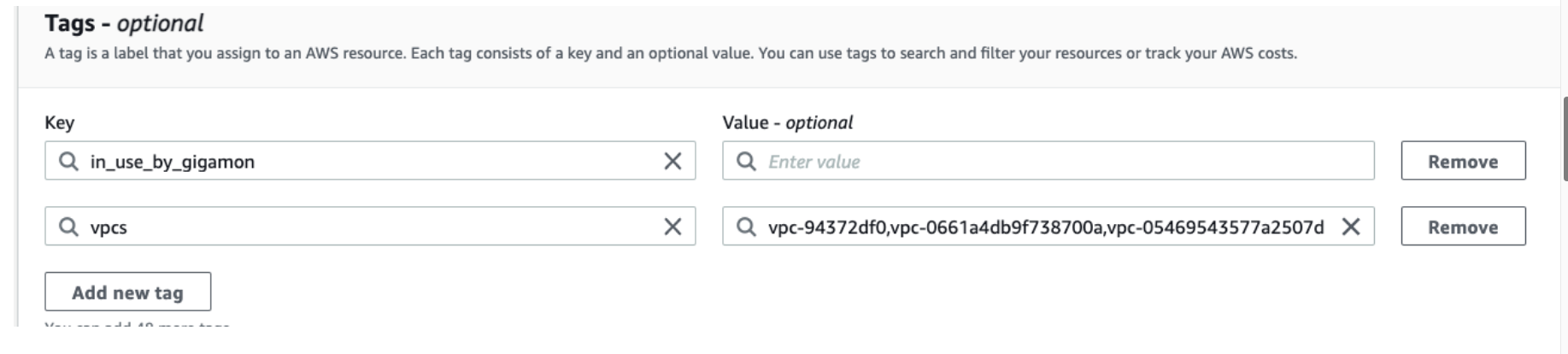
Note: You can define a filter for multiple VPCs. Two filters should not have intersection on VPC. In case of an intersection on VPC, the GigaVUE‑FM picks a random filter and no error is displayed.
For more information on creating a traffic mirror, refer to the AWS documentation.
 MORE INFORMATION


