Rack-Mounting the GigaVUE TA Series
This section describes how to rack-mount the GigaVUE Traffic Aggregation node in a standard 1RU rack space using the hardware provided with the chassis. The node mounts in an EIA-standard 19in or 24in telco rack or equipment cabinet, up to 39in deep.
Safety Precautions
A wide variety of racks is available. Before installing the GigaVUE Traffic Aggregation node, read the instructions of the rack vendor.
Note: Before rack-mounting the GigaVUE, read the following safety precautions:
| Install any stabilizers provided for the rack to prevent it from tipping over. |
| Install boxes in the rack from the bottom up with the heaviest boxes at the bottom. |
| Ensure adequate ventilation to the systems installed in the rack. |
GigaVUE Traffic Aggregation nodes are shipped with rack ears for front-mounting or rear-mounting (1) in either a two-post or four-post rack.
Two-Post Rack Methods:
Most GigaVUE Traffic Aggregation nodeseither front or rear mounted using the rack ears as shown below.
Note: Note: GigaVUE‑TA200, GigaVUE‑TA25 and GigaVUE‑TA400 can only be front mounted.
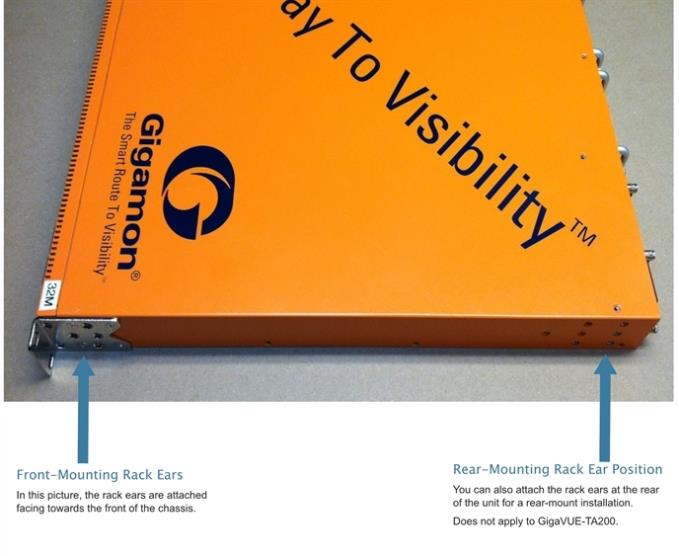
| 1 | GigaVUE Traffic Aggregator Rack Ears in Front-Mount Position |
To mount the GigaVUE Traffic Aggregation node in a rack:
| 1. | Attach the orange rack ears to the front or rear of the unit (rear mounting does not apply to GigaVUE‑TA200, GigaVUE‑TA25 and GigaVUE‑TA400) using the supplied screws. |
As shown in 1, you can attach the rack ears for a front-mount or rear-mount installation. Select the installation that best fits the needs. For example, one position may provide better clearance for rack doors at the front of the chassis.
| 2. | While one person supports the weight of the unit with the rack ears flush to the chassis, a second person can attach the ears to the rack with the supplied screws. |
Four-Post Rack Methods:
GigaVUE Traffic Aggregation nodes also come with a pair of full length mounting rails. You can use these rails for four point mounting on four-post racks. You can use the keyhole rivets on the sides of each node to adjust the fit of the node to the desired position or dimension on the rack.
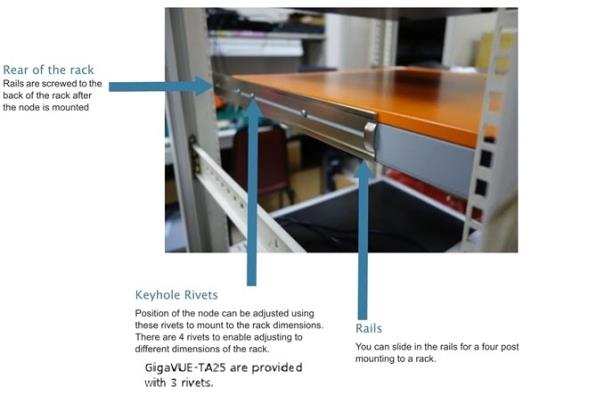
| 2 | GigaVUE Traffic Aggregator with Rail Mounting for Four-Post Racks |
To mount the GigaVUE Traffic Aggregation node in a four-post rack:
| 1. | Attach the orange rack ears to the front of the unit using the supplied screws. |
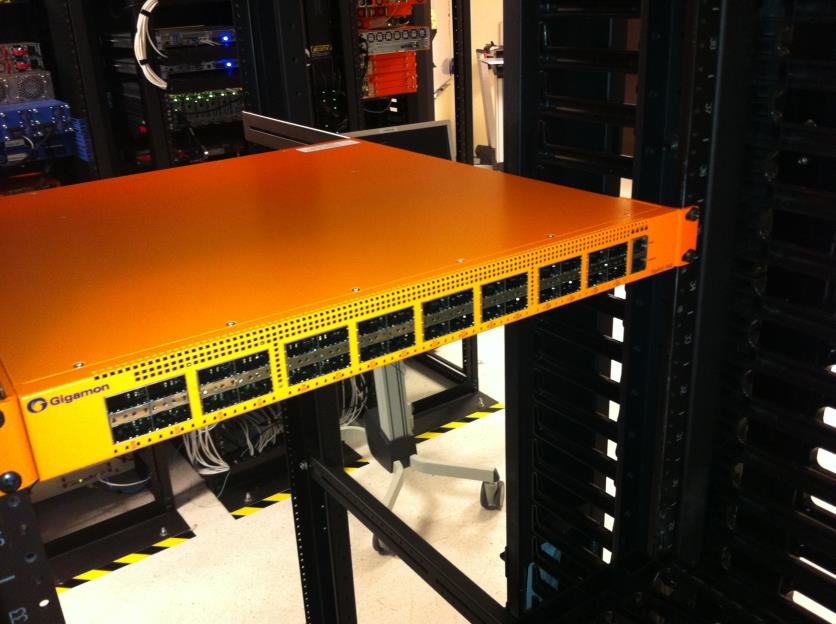
| 3 | Front View of the Mounted Node to the Four-Post Rack |
| 2. | Slide in the provided rails on to the node. You can adjust the position of the rails to fit the rack's dimensions. To adjust, once set in the desired position, slide over the rivets and place them securely. |
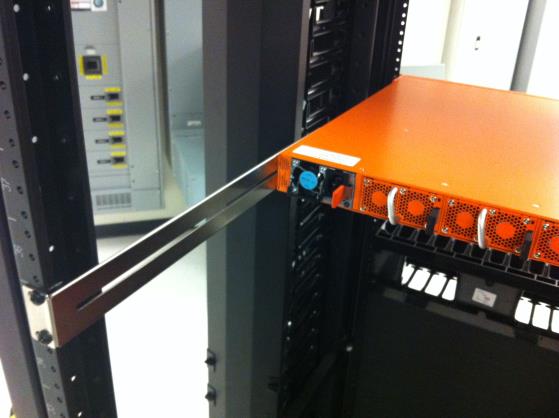
| 4 | Rear View of the Mounted Node and Rails on the Four-Post Rack |
| 3. | Tighten the rails to the rear posts using the supplied screws. |


