Egress Tunneled Traffic
To route processed traffic, add tunnel endpoints to the Monitoring Session canvas. Configure each endpoint with a destination IP address, tunnel type, and other protocol-specific details. GigaVUE Cloud Suite for AWS supports four protocols for sending traffic to tools:
- L2GRE
- VXLAN
- TLS-PCAPNG (For secure tunnels)
- UDP
You can improve traffic analysis and tool efficiency by either replicating egress traffic to multiple tools or distributing high‑volume traffic across several tool instances using the load balancer application.
Replicate Egress Traffic
You can easily replicate the processed traffic in the Monitoring Session canvas page. You can analyze the same traffic using different types of tools to catch different types of problems (For example,, network performance versus cyber security). The following example of a Monitoring Session configuration shows how the traffic is replicated and sent to different tools:
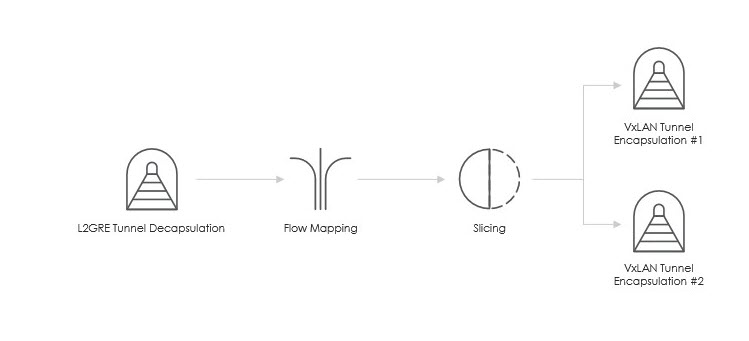
In the above diagram, all packets coming out from the Slicing application are replicated and tunneled to two different tools using the VXLAN protocol.
Load Balance Egress Traffic
In scenarios where the processed traffic volume exceeds the capacity of a single tool, you can deploy multiple tool instances to share the load. To simplify this, GigaVUE Cloud Suite for AWS provides a load balancer application that runs directly on GigaVUE V Series Nodes to distribute and balance traffic across multiple tools. To use this feature, simply add the load balancer application to your Monitoring Session canvas and connect its egress endpoint to all the egress tunnel endpoints. This ensures efficient traffic distribution and optimal tool utilization.


