Enable Cryptography Mode
GigaVUE‑FM can be configured to cryptography mode to improve the security of the management interface. In cryptography mode, weak encryption or decryption and hashing algorithms used for accessing data and generating keys are disabled. The cryptography mode limits the cryptographic algorithms that are available for use on a GigaVUE‑FM.
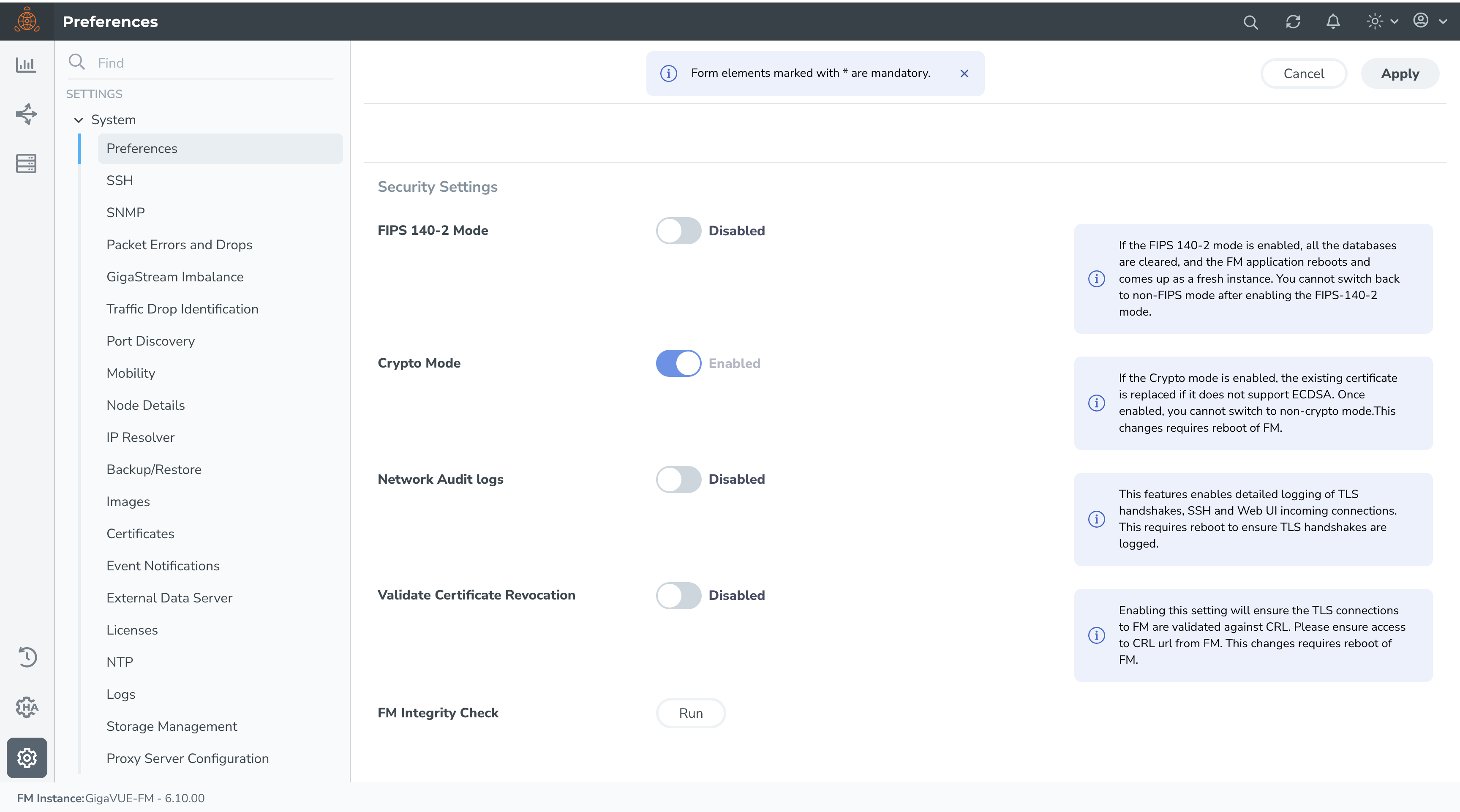
To enable cryptography mode in the GigaVUE‑FM:
- Go to
 > Settings > System > Preferences.
 - In the Security Settings, turn on the Crypto Mode toggle to enable the cryptography mode.
TLS or SSL Ciphers to Use with Cryptography Mode
When enhanced cryptography mode is enabled, GigaVUE-FM supports TLS 1.2, and TLS 1.3. The following ciphers are supported in TLS 1.2:
|
Cipher Name |
Key Exchange (Kx) | Authentication(Au) |
Encryption (Enc) |
MAC |
|---|---|---|---|---|
|
ECDHE-ECDSA-AES256-GCM-SHA384 |
ECDHE | ECDSA |
AES256-GCM |
SHA384 |
|
ECDHE-ECDSA-AES128-GCM-SHA256 |
ECDHE | ECDSA |
AES128-GCM |
SHA256 |
|
ECDHE-ECDSA-AES256-SHA384 |
ECDHE | ECDSA |
AES256 |
SHA384 |
|
ECDHE-ECDSA-AES128-SHA256 |
ECDHE | ECDSA |
AES128 |
SHA256 |
Note: Ensure that you configure the above ciphers on the servers or devices that communicate with GigaVUE-FM. You should also ensure that when the cryptographic mode is enabled, the certificate supports ECDSA based ciphers.
SSH Cryptographic Algorithms
GigaVUE-FM supports the following SSH algorithms:
|
SSH Host Key Algorithm |
SSH Key Exchange |
Encryption Algorithms |
Hash-based Message Authentication Code |
|
ECDSA |
ecdh-sha2-nistp256 ecdh-sha2-nistp384 ecdh-sha2-nistp521 kex-strict-s-v00@openssh.com
|
aes256-ctr aes128-gcm@openssh.com aes256-gcm@openssh.com |
hmac-sha2-512, hmac-sha2-256 |


