VLAN Resources
GigaVUE‑FM displays the VLAN resources that are used, and available. It also displays feature-wise VLAN usage.
To view the vlan resources:
- On the left navigation pane, go to
 and select Nodes which displays the list of physical nodes managed by GigaVUE‑FM.
 - Select a node.
- In the left navigation pane, click Resources > VLAN.
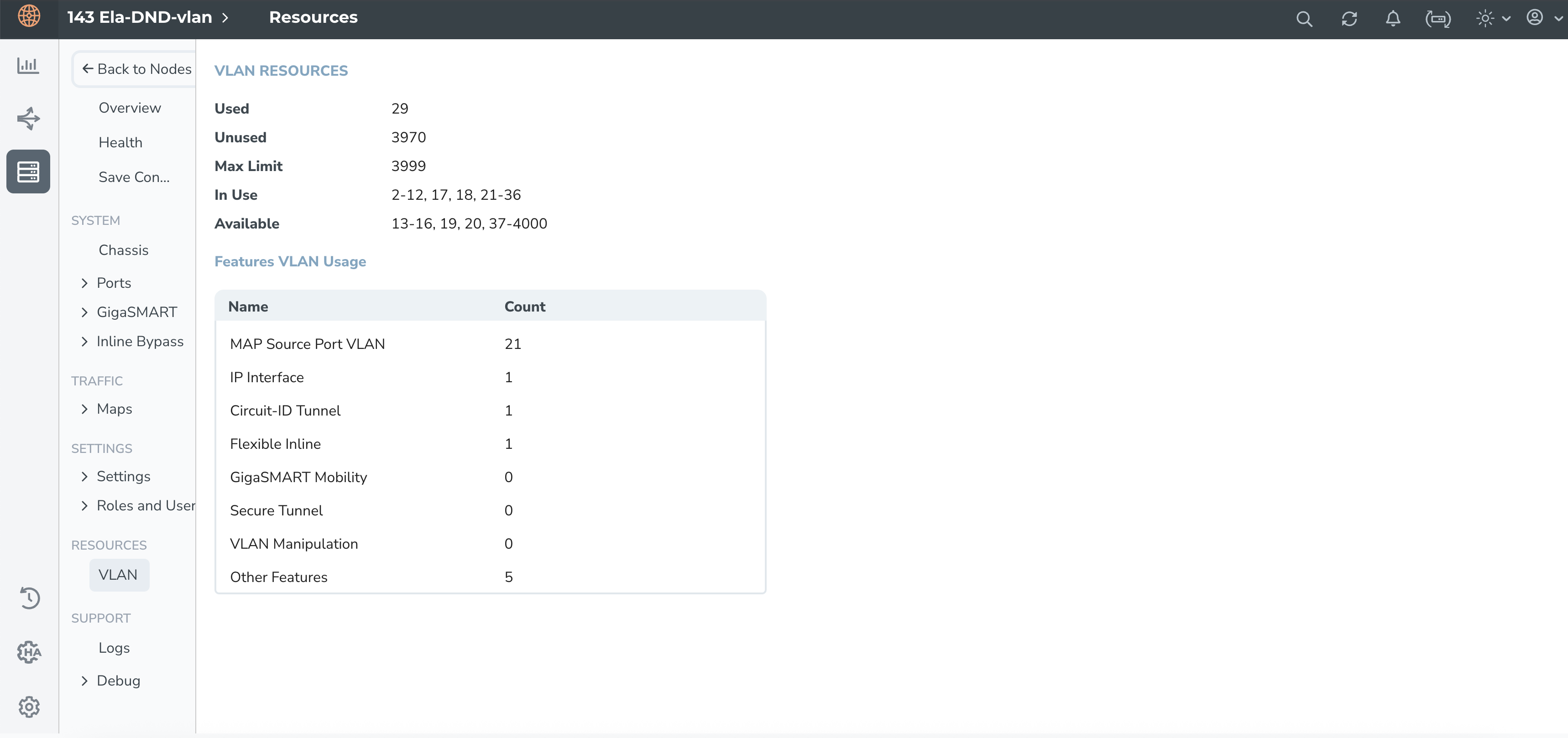
The VLAN view presents the most recent information on VLAN resources for the selected GigaVUE-OS node, as illustrated above.
The following are the details of the different features and functionalities for which internal VLANs are allocated:
MAP Source Port VLAN: VLANs allocated to each network port of a flow map, the ports belonging to inline-network, inline-tool, and port-pair.
IP Interface VLAN: VLANs allocated for IP Interfaces.
Circuit-ID Tunnel VLAN: VLANs allocated for circuit-ID tunnels, which are used in fabric maps.
Flexible Inline VLANs: VLANs allocated for flexible inline solution deployments.
GigaSMART Mobility: VLANs allocated for GigaSMART mobility feature.
Secure Tunnel VLANs: VLANs allocated to the secure tunnels.
VLAN Manipulation VLANs: VLANs allocated for advanced VLAN manipulation feature.
Other Features: VLANs are allocated for GigaSMART operations on GigaVUE‑HC1-Plus, GigaVUE-HCT, GigaVUE‑TA25, and GigaVUE‑TA25E platforms. This includes those assigned to network ports that are currently not part of any MAPs.
Refer to show vlan-resource.


