Work with Tags
On the left navigation pane, click  ,to view the tags and select Tags. The existing tags are displayed in the Tags page.
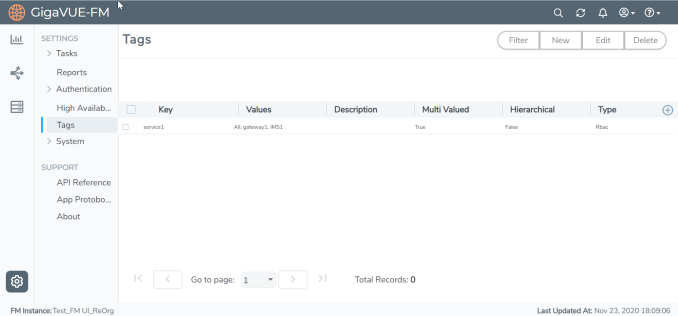
| 1 | Tags Home Page |
The following columns are displayed in the tags list view:
|
Field |
Description |
||||||
|
Key |
Tag key. |
||||||
|
Values |
The values of the tag. |
||||||
| Description | Description for the tag. | ||||||
| Multivalued | Indicates if the tag is single valued or multi-valued. By default, the tag is multi-valued. | ||||||
|
Hierarchical |
Indicates if tag hierarchy is set to true or not. |
||||||
|
Type |
Indicates the type of tag:
|
The following buttons are displayed in the Tags page.
|
Field |
Description |
|
Filter |
Filters the tags available in the Tags page. For more information, refer to Filter Tags. |
|
New |
Creates a new tag. For more information, refer to Create User-defined Tag. |
|
Edit |
Edits an existing tag. For more information, refer to Edit Tags. |
|
Delete |
Deletes an existing tag. |


